
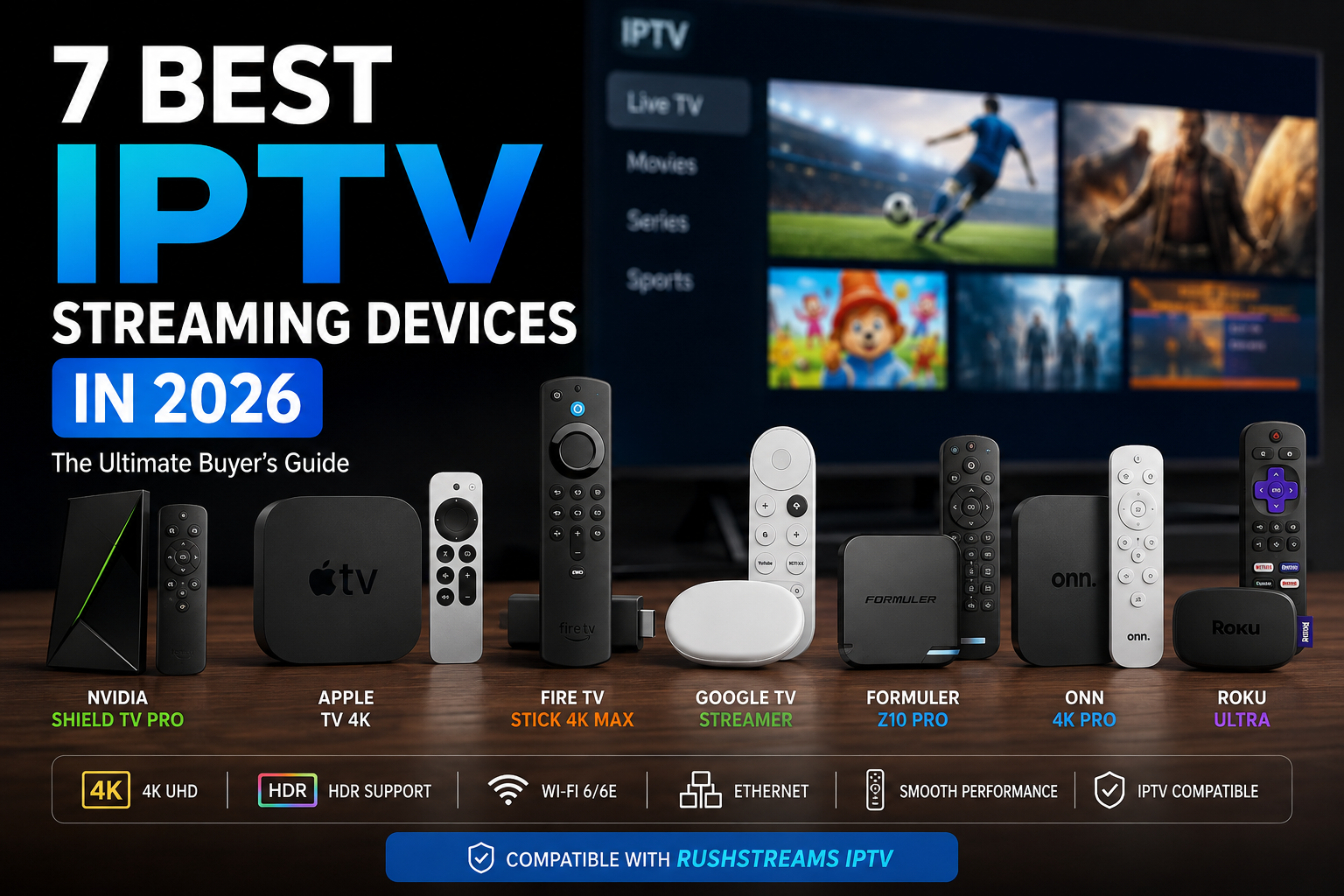
Choosing the best IPTV streaming devices isn’t simply about buying the most expensive box you can find. Your IPTV experience can depend on the device’s processor, available memory, storage, Wi-Fi or Ethernet connection, operating system, app support and even how well the device handles large playlists and electronic programme guides (EPGs).
For some users, an affordable Fire TV device is more than enough. Others may benefit from the additional processing power and connectivity of an NVIDIA Shield TV Pro, while Apple users may prefer the polished experience of an Apple TV 4K.
The important question isn’t simply “Which streaming device is the most powerful?” It is “Which device is the right fit for the way I use IPTV?”
In this guide, we’ll compare seven popular options and explain which type of viewer each one suits best.
What Makes a Good IPTV Streaming Device?
Before looking at individual devices, there are several things worth considering.
Performance
A faster processor and adequate RAM can make a noticeable difference when navigating menus, changing channels, loading large EPGs and switching between applications.
Storage
Storage becomes increasingly useful when you install multiple streaming applications or maintain large IPTV playlists.
Wi-Fi and Ethernet
A powerful device cannot compensate for an unreliable internet connection. For users with difficult Wi-Fi environments, built-in Ethernet can be a significant advantage.
App compatibility
The device needs to support the IPTV player you actually want to use. Android TV/Google TV, Fire TV and Apple TV have different app ecosystems, so compatibility should be checked before purchasing.
Video processing
Support for 4K, HDR, Dolby Vision and advanced video processing can improve the experience when your television and content support those technologies.
1. NVIDIA Shield TV Pro — Best for Power Users
The NVIDIA Shield TV Pro remains one of the most capable options for people who want a powerful streaming box rather than a basic streaming stick.
NVIDIA’s current specifications list a Tegra X1+ processor, 3 GB RAM, 16 GB storage, Gigabit Ethernet, dual-band Wi-Fi and two USB 3.0 ports. It also supports Dolby Vision, HDR10 and AI-enhanced upscaling up to 4K 60 FPS.
That combination makes the Shield particularly attractive to IPTV users who:
- Run multiple applications
- Use large playlists
- Want fast navigation
- Use Ethernet
- Watch high-resolution content
- Want advanced video processing
- Want additional flexibility for media applications
The Shield also has a strong reputation among IPTV users. In a recent discussion, one user who owns IPTV setups on both Apple TV and Shield said the Shield was noticeably better for their particular setup.
That’s a user experience, not an objective benchmark—but it’s exactly the type of real-world feedback worth considering.
Best for:
Power users who want maximum flexibility and performance.
2. Apple TV 4K — Best Premium Experience
If you already live in the Apple ecosystem, the Apple TV 4K deserves serious consideration.
The current Apple TV 4K uses Apple’s A15 Bionic chip. The Wi-Fi + Ethernet version includes 128 GB storage, Wi-Fi 6 and Gigabit Ethernet. It supports 4K video at up to 60 fps along with Dolby Vision, HDR10+ and HLG.
One advantage of Apple TV is the overall user experience. The interface is polished, responsive and easy to navigate.
Interestingly, the Reddit discussion we looked at produced a useful comparison. One user who owns both Apple TV and Shield said they now preferred Apple TV because they liked the overall appearance and setup, while saying picture quality was about the same.
That illustrates an important point:
The most powerful device isn’t automatically the device you’ll enjoy using the most.
Best for:
Users who want a premium interface, strong performance and Apple ecosystem integration.
3. Amazon Fire TV Stick 4K Max (2nd Gen) — Best Balance
For many IPTV users, the Fire TV Stick 4K Max (2nd Gen) is the most sensible compromise between performance, features and price.
Amazon lists 2 GB RAM, 16 GB storage, a quad-core CPU up to 2.0 GHz and Wi-Fi 6E support. It also supports 4K playback and modern HDR formats.
That makes it considerably more interesting than simply buying the cheapest streaming stick available.
It is particularly suitable for people who want:
- A compact device
- 4K streaming
- Strong Wi-Fi
- Plenty of storage for a stick
- Access to the Fire TV ecosystem
- IPTV alongside normal streaming services
However, Fire TV users should remember that software and operating-system changes can affect app availability and installation methods over time. Check the current app situation before buying if a particular IPTV player is essential to you.
If you’re already using Fire TV, our guide to the best IPTV apps for Firestick can help you choose an appropriate player.
Best for:
Most IPTV users who want strong performance without moving to a premium box.
4. Google TV Streamer — Best for Google TV Users
The Google TV Streamer is a strong choice for users who prefer the Google TV ecosystem.
It offers a more substantial form factor than a typical streaming stick and is designed to provide a central Google TV experience for applications and streaming services.
This makes it particularly interesting if you already use Android, Google Home or other Google-connected devices.
However, don’t assume that a newer device will automatically solve every IPTV problem.
If your Firestick or Google TV device is running slowly, the underlying issue could still be Wi-Fi, storage, background processes, an IPTV application or the playlist itself.
We’ve covered this issue separately in our guide to Google TV Streamer running slow, which is worth reading before replacing a device simply because it feels sluggish.
Best for:
Users who want Google TV and prefer a newer Google-focused streaming platform.
5. Formuler — Best for an IPTV-Focused Experience
Formuler devices deserve a place in an IPTV streaming devices guide because they take a different approach.
Rather than being designed primarily as general-purpose streaming devices, Formuler products are strongly associated with IPTV-focused use.
This can appeal to people who want an experience that feels closer to a traditional television interface, with features such as channel browsing, EPG functionality and IPTV-oriented controls.
That distinction came up in the Reddit discussion we examined. One commenter specifically recommended Formuler and BuzzTV for users wanting a device built around IPTV rather than simply installing an IPTV player on a general streaming platform.
Best for:
Users who want a streaming device designed around the IPTV experience.
6. Onn 4K Pro — Best Budget Alternative
The Onn 4K Pro generated some of the most interesting reactions in the discussion.
One user said it performed extremely well despite owning two NVIDIA Shield devices, while another pointed out the difficulty of obtaining one outside supported markets.
That tells us two things.
First, expensive doesn’t automatically mean best value.
Second, availability matters.
A device can look fantastic on paper but become a poor recommendation if it is difficult or expensive to obtain in your country.
For buyers in markets where the Onn 4K Pro is officially available, it can be an attractive budget-oriented option.
For users elsewhere, alternatives such as Fire TV, Google TV or Formuler may make more practical sense.
Best for:
Budget-conscious buyers who can obtain it easily in their market.
7. Roku Ultra — Best for Simplicity
Roku has built its reputation around simplicity.
If your priority is straightforward mainstream streaming rather than extensive IPTV customization, Roku can be attractive.
However, IPTV buyers need to look beyond hardware specifications.
App availability matters.
A device may have excellent 4K output, a fast processor and a great remote but still be a poor choice for you if the IPTV application you want isn’t available on its platform.
That’s why Roku should be considered primarily by users who prioritize mainstream streaming simplicity rather than extensive IPTV flexibility.If you are new to Roku you will find our ROKU GUIDE HERE
Best for:
Users who want a simple mainstream streaming experience and don’t require extensive IPTV customization.
Which of These IPTV Streaming Devices Is Best for You?
There isn’t one universal winner.
| Device | Best for |
|---|---|
| NVIDIA Shield TV Pro | Power users |
| Apple TV 4K | Premium experience |
| Fire TV Stick 4K Max | Best overall balance |
| Google TV Streamer | Google TV users |
| Formuler | IPTV-focused users |
| Onn 4K Pro | Budget buyers |
| Roku Ultra | Simplicity |
Want maximum IPTV flexibility?
NVIDIA Shield TV Pro.
Its combination of processing power, RAM, storage, Ethernet and broad media support makes it particularly attractive for demanding users.
Want a premium interface?
Apple TV 4K.
The A15-based Apple TV 4K is extremely capable, and the Ethernet model adds 128 GB storage and Gigabit Ethernet.
Want the best balance?
Fire TV Stick 4K Max (2nd Gen).
It’s difficult to ignore the combination of 2 GB RAM, 16 GB storage and Wi-Fi 6E in a compact device.
Want an IPTV-first experience?
Formuler.
Its appeal comes from its IPTV-oriented approach rather than simply raw specifications.
Will a More Expensive Device Reduce IPTV Buffering?
Not necessarily.
This is one of the biggest misconceptions when buying IPTV hardware.
If your current device is genuinely struggling with processing, storage, app performance or Wi-Fi, upgrading can make the experience considerably smoother.
But if the actual problem is the IPTV stream source, network congestion or another part of the delivery path, spending $200 on a streaming box won’t magically eliminate buffering.
This is why we recommend checking the device before assuming that IPTV is the problem.
If your Firestick itself has become sluggish, see our guide on Firestick running slow.
If you’re dealing with multiple playlists, our guide to multiple IPTV playlists explains how managing more than one playlist can affect the way you organize your IPTV setup.
Does Your TV Matter?
Yes—but perhaps not in the way you think.
An older television doesn’t necessarily mean you need to replace the television.
A dedicated streaming device can effectively give an older TV a modern streaming platform through its HDMI input, assuming the television supports the required video resolution and connection.
However, your TV still determines what picture quality you can actually see.
For example, buying a premium 4K device won’t turn a standard HD television into a 4K display.
The streaming device can provide the processing and playback capability, but the television remains the final display.
Is RushStreams IPTV Compatible With These Devices?
Yes. RushStreams IPTV is compatible with the streaming devices covered in this guide, provided you use an IPTV player or supported application available for the particular platform.
That includes Fire TV, Google TV/Android TV, Apple TV and other compatible streaming platforms.
The important distinction is that device compatibility and app availability are two different things.
Before choosing a device, make sure the IPTV player you intend to use is available for its operating system.
You can also check the RushStreams channel list to see the type of content available.
And if you’re already considering a subscription, you can review the available RushStreams IPTV pricing separately.
What About Multiple IPTV Playlists?
If you use multiple IPTV providers or playlists, the device you choose becomes more important.
Multiple playlists can mean:
- More channels
- More categories
- Larger EPG data
- More storage requirements
- More navigation
- More applications or accounts to manage
A powerful device doesn’t automatically make a poorly organized playlist fast, but additional processing power and storage can make a demanding setup more comfortable.
If you regularly switch between different IPTV playlists, consider how the device handles your preferred player before making a purchase.
Should You Upgrade From an Old Chromecast?
If your Chromecast is several generations old and you’re experiencing:
- Slow menus
- Delayed remote response
- Slow application loading
- Stuttering playback
- Poor EPG performance
then a modern streaming device can be a worthwhile upgrade.
But test the bottleneck first.
If Netflix, YouTube and other services work perfectly while only one IPTV stream buffers, upgrading hardware may not solve the underlying issue.
If everything is slow, a newer device becomes a much more compelling upgrade.
Frequently Asked Questions
What is the best IPTV streaming device in 2026?
There isn’t one device that is best for everyone. The NVIDIA Shield TV Pro is particularly suited to power users, Apple TV 4K offers a premium experience, while the Fire TV Stick 4K Max provides a strong balance of performance and convenience.
Is NVIDIA Shield better than Apple TV for IPTV?
It depends on your priorities. Some IPTV users prefer the Shield for its flexibility, hardware and Android TV environment, while others prefer Apple TV for its interface and overall experience. Real-world feedback from IPTV users is divided rather than unanimous.
Is Firestick good for IPTV?
Yes. The Fire TV Stick 4K Max (2nd Gen) is a capable IPTV device, with 2 GB RAM, 16 GB storage and Wi-Fi 6E.
Can a better streaming device stop IPTV buffering?
It can help if the existing device is the bottleneck, but it cannot fix every buffering problem. Network instability, stream delivery and IPTV service performance can also cause buffering.
Do I need a 4K streaming device for IPTV?
Not necessarily. If your television is only HD, you don’t need a 4K television to watch IPTV. However, a 4K-capable device can still be useful if you plan to upgrade your television later.
Is Apple TV 4K good for IPTV?
It can be an excellent choice for users who value Apple’s interface and ecosystem. The current Ethernet model includes an A15 Bionic chip, 128 GB storage, Wi-Fi 6 and Gigabit Ethernet.
Is NVIDIA Shield TV Pro still worth buying in 2026?
For demanding users, it can be. Despite its age, the Shield TV Pro still offers 3 GB RAM, 16 GB storage, Gigabit Ethernet, USB connectivity and advanced video/audio support.
Does RushStreams IPTV work on these devices?
RushStreams IPTV is compatible with the devices discussed in this guide when used with a compatible IPTV player for the relevant platform.
Final Thought
The best IPTV streaming devices aren’t necessarily the most expensive ones.
If you want the ultimate combination of flexibility and processing power, the NVIDIA Shield TV Pro remains difficult to ignore. If you value a polished interface and already use Apple products, the Apple TV 4K is an excellent alternative. For someone who wants strong performance in a compact and more affordable package, the Fire TV Stick 4K Max (2nd Gen) makes a compelling choice.
And if your priority is specifically IPTV rather than general streaming, don’t overlook Formuler and other IPTV-focused hardware.
Most importantly, don’t buy a new device simply because you’re experiencing buffering. Find the bottleneck first. A new streaming device can solve a hardware or app-performance problem, but it can’t repair an unstable internet connection or a problematic stream.
For RushStreams users, the good news is that RushStreams IPTV works across the major device categories covered here, so your choice of hardware can be based on the experience and features you actually want rather than being locked into one particular device.