
Table of Contents
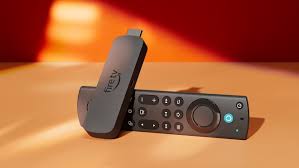
Amazon Firestick remains one of the most popular streaming devices for IPTV users in 2026. Its affordability, portability, and support for multiple IPTV players make it a preferred choice for watching live TV, sports, movies, and international channels.
However, choosing the right IPTV app for Firestick can make a huge difference in streaming quality, usability, and overall viewing experience. Some IPTV apps are designed for beginners, while others offer advanced customization, live TV recording, multi-screen support, and electronic program guides (EPGs).
In this guide, we explore some of the best IPTV apps for Firestick in 2026, including IPTV Smarters, TiviMate, Kodi, VLC Media Player, and GSE Smart IPTV.
Why Firestick Is Popular for IPTV
Firestick devices have become extremely popular among IPTV users because they combine strong streaming performance with easy installation and app compatibility.
Some of the main advantages include:
- Affordable pricing
- Portable streaming device
- Support for HD and 4K streaming
- Access to multiple IPTV apps
- Simple remote control navigation
- Compatibility with Wi-Fi and Ethernet adapters
Firestick devices also work well with many IPTV services and streaming applications, making them ideal for both beginners and advanced users.
If you are new to IPTV streaming, our IPTV setup guide explains how to configure streaming apps and compatible devices.
What Makes a Good IPTV App?
Not all IPTV apps perform the same way. Some prioritize simplicity, while others focus on advanced streaming features.
A good IPTV app should provide:
- Smooth live TV playback
- Fast channel loading
- EPG support
- Stable streaming
- User-friendly interface
- Multi-device compatibility
- Playlist management
- HD and 4K support
The best IPTV app often depends on your device performance, internet connection, and viewing preferences.
IPTV Smarters
IPTV Smarters remains one of the most widely used IPTV applications for Firestick users.
Why Users Like IPTV Smarters
- Beginner-friendly interface
- Easy playlist setup
- Supports live TV and VOD
- Multi-screen functionality
- Compatible with many IPTV services
The app is especially popular among new IPTV users because of its clean layout and relatively simple setup process.
IPTV Smarters also works across:
- Firestick
- Android TV
- smartphones
- tablets
- Smart TVs
You can also explore our full IPTV Smarters setup guide for installation instructions and streaming tips.
TiviMate
TiviMate is considered one of the best premium IPTV players for advanced Firestick users.
Main TiviMate Features
- Modern interface
- Advanced EPG support
- Favorites management
- Catch-up support
- Multi-playlist support
- Smooth navigation
TiviMate is especially popular among sports fans because of its responsive interface and reliable live TV performance.
Although beginners can use it, TiviMate is often preferred by experienced IPTV users who want more customization and advanced features.
You can also read our TiviMate IPTV setup guide for additional configuration instructions.
Kodi
Kodi remains one of the most flexible media platforms available for IPTV streaming.
Unlike standard IPTV apps, Kodi supports:
- add-ons
- local media playback
- IPTV integration
- customization options
Kodi Advantages
- Highly customizable
- Supports multiple streaming sources
- Large add-on ecosystem
- Compatible with various devices
However, Kodi can feel more complex compared to simpler IPTV apps like IPTV Smarters.
Some users also experience slower performance on older Firestick devices if too many add-ons are installed.
Kodi works best for users who enjoy advanced media customization and broader streaming capabilities.User can get more info in our Kodi set up guide.
VLC Media Player
VLC Media Player is one of the simplest IPTV players available for Firestick.
Although VLC is primarily known as a media player, it also supports IPTV playlist streaming.
VLC Advantages
- Lightweight application
- Easy playlist loading
- Stable playback
- Minimal system requirements
- Reliable for basic IPTV streaming
VLC may not provide advanced IPTV features like EPG management or modern TV interfaces, but many users appreciate its simplicity and stability.
This makes VLC a good option for users who want straightforward IPTV playback without additional complexity.Here is a complete vlc guide on how to install it on firestick
GSE Smart IPTV
GSE Smart IPTV remains popular among users who stream IPTV across multiple platforms.
Key Features
- Cross-platform compatibility
- Playlist support
- Chromecast support
- External player integration
- Mobile-friendly interface
GSE Smart IPTV works on:
- Android
- iOS
- tablets
- some Smart TVs
While it may not be as visually polished as TiviMate, it offers strong flexibility for users who stream IPTV on multiple devices.Users can get the full GSE smart iptv guide here.
Which IPTV App Is Best for Live Sports?
Live sports streaming places heavier demands on IPTV apps because streams must remain stable during real-time broadcasts.
For sports fans, the most recommended apps are usually:
TiviMate
Excellent interface and fast navigation during live events.
IPTV Smarters
Reliable and beginner-friendly for sports streaming.
VLC
Stable playback for users who prefer lightweight streaming.
The best app also depends on:
- internet speed
- IPTV provider quality
- device performance
- network stability
For smoother sports streaming, Ethernet connections are generally better than weak Wi-Fi signals.
IPTV Performance Tips for Firestick
Even the best IPTV apps can experience buffering if your streaming setup is poorly optimized.
Restart Your Firestick Regularly
This helps clear memory and improve app performance.
Keep Apps Updated
Updated IPTV apps usually provide better compatibility and bug fixes.
Use Stable Internet Connections
HD and 4K IPTV streaming require strong internet stability.
Reduce Background Applications
Too many running apps can slow down Firestick performance.
Avoid Overheating
Overheating may reduce streaming stability during long viewing sessions.
Use Ethernet When Possible
Ethernet adapters often improve IPTV stability for live sports and HD streaming.
You can also test your internet speed using: Speedtest by Ookla
Choosing the Right IPTV Service
Even the best IPTV app cannot fully compensate for a poor streaming provider.
A reliable IPTV provider should offer:
- stable live TV channels
- HD and 4K compatibility
- responsive support
- broad device compatibility
- consistent uptime
If you are comparing available packages, you can explore our full pricing guide here for supported devices and streaming options.
You can also read our guide on choosing the best iptv provider for sports, entertainment, and international channels.
Frequently Asked Questions
Which IPTV app is easiest for beginners?
IPTV Smarters is generally considered one of the easiest IPTV apps for beginners because of its simple interface and setup process.
Is TiviMate better than IPTV Smarters?
TiviMate offers more advanced customization and EPG features, while IPTV Smarters is often easier for new users.
Does VLC support IPTV playlists?
Yes. VLC Media Player supports IPTV playlist streaming using M3U links.
Which IPTV app works best for live sports?
TiviMate and IPTV Smarters are commonly preferred for live sports because of their responsive interfaces and stable playback.
Can Firestick handle 4K IPTV streaming?
Yes, newer Firestick models can support 4K IPTV streaming when combined with strong internet speeds and stable IPTV services.
Final Thoughts
Firestick remains one of the best streaming devices for IPTV users in 2026 because of its flexibility, affordability, and compatibility with popular IPTV apps.
Apps like IPTV Smarters, TiviMate, Kodi, VLC Media Player, and GSE Smart IPTV each offer different advantages depending on your streaming preferences and experience level.
For the best IPTV experience:
- use stable internet connections
- keep apps updated
- optimize Firestick performance
- choose reliable IPTV providers
- use apps that match your viewing needs
With the right IPTV app and streaming setup, Firestick can deliver smooth live TV, sports, movies, and entertainment streaming across multiple devices with minimal buffering and improved playbac