
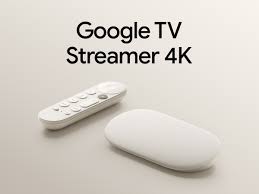
If your Google TV Streamer running slow has become a daily frustration, you’re definitely not alone. Many IPTV users report laggy menus, delayed channel switching, and buffering after installing multiple apps or loading large playlists.
The good news is that a Google TV Streamer running slow is rarely a hardware failure. In most cases, it comes down to storage pressure, background apps, network instability, or poorly optimized IPTV settings. Before replacing your device, try the fixes below.
Why Is My Google TV Streamer Running Slow?
A Google TV Streamer running slow can show up in several ways:
- Menus take longer to open
- TiviMate or IPTV apps lag while browsing channels
- EPG takes too long to load
- Apps freeze after extended streaming
- Channel switching becomes delayed
These issues are often discussed in Reddit IPTV communities, where users frequently point out that a Google TV Streamer running slow is usually caused by overloaded playlists or weak Wi-Fi rather than the device itself.
Understanding the root cause is key before making changes.
Fix #1: Restart the Google TV Streamer Properly
A simple restart is one of the most effective ways to fix a Google TV Streamer running slow issue.
Many users only turn off the TV, but the device often stays in standby mode, keeping background processes active.
How to restart
- Open Settings
- Go to System
- Select Restart
If your Google TV Streamer running slow problem has been building up over days, this alone can noticeably improve performance.
Fix #2: Clear Cache and Free Up Storage
A major reason for a Google TV Streamer running slow is low available storage.
IPTV apps, cached artwork, and streaming services gradually fill up memory, slowing everything down.
What to remove
- Unused apps
- Old downloads
- Cached IPTV data
- Apps you no longer use
Reddit users often mention that a Google TV Streamer running slow issue disappears after freeing just a few gigabytes of storage.
Aim to keep at least 2–3 GB free for smooth performance.
Fix #3: Reduce the Size of Your IPTV Playlist
One of the most overlooked causes of a Google TV Streamer running slow is an oversized IPTV playlist.
If you’re loading 20,000+ channels and massive VOD libraries, your device has to process everything every time you open the app.
Instead of deleting content, simply hide countries and categories you don’t use.
For a full guide, check our article on removing countries and categories from your IPTV playlist.For new users check out our channel list
This is one of the most recommended fixes in Reddit IPTV threads where users complain about a Google TV Streamer running slow during channel browsing.
Fix #4: Optimize Your Network Connection
Many people assume their Google TV Streamer running slow is a device issue when it’s actually Wi-Fi related.
Best practices:
- Use 5 GHz Wi-Fi whenever possible
- Prefer Ethernet for stability
- Keep router close to the device
- Avoid congested guest networks
Even with fast internet, a Google TV Streamer running slow can happen if your connection is unstable or overloaded.
For deeper troubleshooting, see our guide: Your Internet Is Fast… So Why Does IPTV Still Buffer?.For a smoother experience, many users switch to a more optimized IPTV setup like our recommended plans here.
Fix #5: Optimize Your IPTV Player Settings
A poorly configured IPTV app is another common reason for a Google TV Streamer running slow.
Apps like TiviMate can become heavy if not optimized properly.
Adjust these settings:
- Enable Hardware Acceleration
- Reduce EPG refresh frequency
- Lower buffer settings if needed
- Disable unused categories
- Keep the app updated
Reddit discussions often highlight that a Google TV Streamer running slow improves significantly after adjusting IPTV player settings rather than changing hardware.
Is It the Google TV Streamer or Your IPTV Service?
Before assuming your Google TV Streamer running slow means the device is failing, run this quick test:
| If this happens… | Likely cause |
|---|---|
| Netflix and YouTube are also slow | Device or network |
| Only IPTV buffers | IPTV service or player |
| Menus lag before streaming starts | Storage or background apps |
| Channel switching is slow but playback is smooth | Large playlist or EPG |
This is a common troubleshooting method shared in Reddit IPTV communities dealing with a Google TV Streamer running slow.
When Should You Consider Upgrading?
The Google TV Streamer 4K is more than capable for IPTV in most setups, even if your Google TV Streamer running slow issue persists occasionally.
Only consider upgrading if:
- You use heavy AI upscaling features
- You stream extremely high-bitrate local media
- You need advanced media server tools
- Your usage clearly exceeds normal IPTV needs
For most users, a Google TV Streamer running slow is solved through optimization—not replacement.
Final Performance Checklist
Before replacing your device due to a Google TV Streamer running slow, go through this checklist:
- Restart the Google TV Streamer
- Free up storage space
- Clear cached app data
- Use 5 GHz Wi-Fi or Ethernet
- Reduce IPTV playlist size
- Update Google TV and IPTV apps
- Test another streaming app
If your Google TV Streamer running slow issue still exists after this, it’s likely service-related rather than hardware.
Frequently Asked Questions
Does TiviMate make Google TV Streamer slow?
Not directly. However, large playlists and heavy EPG data are often responsible for a Google TV Streamer running slow, especially during navigation.
Is Ethernet better than Wi-Fi for IPTV?
Yes. Ethernet provides more stable performance and can prevent a Google TV Streamer running slow caused by Wi-Fi interference.
Will clearing cache delete my IPTV subscription?
No. Clearing cache only removes temporary files and does not affect your IPTV login.
Should I replace my Google TV Streamer?
Not before troubleshooting. Most Google TV Streamer running slow issues are solved through optimization, not hardware upgrades.