
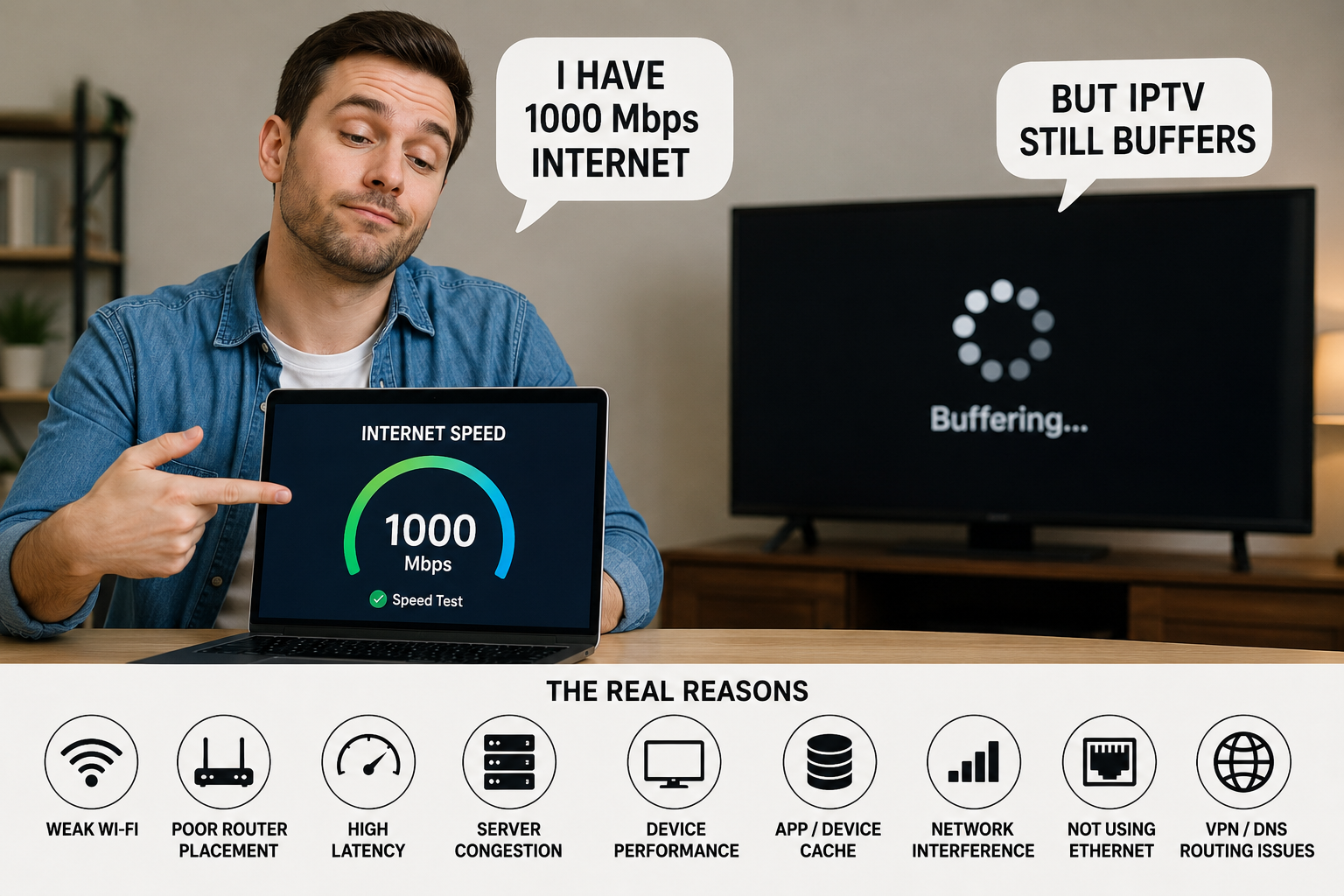
If you’ve upgraded to faster internet but your IPTV still freezes, looks blurry, or occasionally buffers, here’s the truth: more internet speed alone does not guarantee better streaming. Once you have enough bandwidth for your stream, other factors—such as Wi-Fi quality, network latency, router placement, device performance, and the IPTV provider’s servers—often have a much bigger impact. In this guide, we’ll explain why faster internet isn’t always the solution and what you should check instead.
Many people assume that buying a 500 Mbps or even a 1 Gbps internet package will automatically eliminate streaming problems. In reality, most IPTV streams use only a fraction of that bandwidth. The challenge is usually getting a stable, low-latency connection, not simply a faster one.
1. More Speed Doesn’t Help If Your Wi-Fi Is Weak
Your internet package may be incredibly fast, but your streaming device still depends on the quality of your Wi-Fi signal.
Common causes include:
- Thick concrete walls
- Long distance from the router
- Wi-Fi interference from neighbouring networks
- Older routers that struggle with multiple connected devices
A Firestick receiving a weak Wi-Fi signal won’t magically perform better simply because you’ve upgraded your broadband package.
Quick Fix
- Move your router to a central location.
- Use the 5 GHz Wi-Fi band where possible.
- Consider an Ethernet connection for devices that support it.
2. Latency Is Often More Important Than Download Speed
Think of internet speed as the width of a highway.
Latency is how long it takes a car to travel from one point to another.
Even with a huge highway, traffic can still take a long time if there are delays.
Live IPTV depends heavily on low latency, especially during football matches, Formula 1 races, boxing events, and other live broadcasts.
A 100 Mbps connection with low latency can often provide a smoother experience than a 1 Gbps connection with poor routing.
3. Your IPTV Provider’s Servers Matter
Your internet connection is only one part of the journey.
Your IPTV provider must also have servers capable of delivering streams to thousands of users simultaneously.
If those servers become overloaded during a major sporting event, increasing your internet speed at home won’t solve the problem.
That’s why choosing a reliable IPTV provider is just as important as having a fast broadband connection.
If you’re comparing services, explore our Pricing Guide and browse our Channel List to see what’s included.
4. Your Streaming Device Has Limits
Many users blame their internet when the real limitation is the device itself.
Older streaming devices may have:
- Limited RAM
- Slower processors
- Outdated Wi-Fi hardware
- Storage that’s almost full
These issues can affect playback even when your internet connection is excellent.
Regularly clearing unused apps and keeping your device updated can improve performance.
5. Router Placement Can Make a Huge Difference
Your router shouldn’t be hidden behind a television cabinet or placed on the floor in a far corner of the house.
Physical obstacles reduce signal strength.
For the best coverage:
- Place the router higher up.
- Keep it in an open area.
- Avoid placing it next to microwaves or large metal objects.
- Reduce interference from other wireless devices where possible.
Sometimes simply moving the router a few metres dramatically improves streaming stability.
6. Not Every Streaming Problem Is Caused by Internet Speed
People often search for more internet speed when they actually have a completely different issue.
For example:
- A black screen with audio usually isn’t caused by bandwidth.
- Blurry picture quality may be related to the stream itself or display settings.
- Login errors won’t be fixed by upgrading your broadband.
If you’re experiencing audio but no picture, read our guide on IPTV Black Screen with Audio Working: How to Fix It.
If your picture quality looks poor, our guide on Why Does My IPTV Live Sports Streaming Look Blurry? explains the most common causes.
7. How Much Internet Speed Do You Actually Need?
Surprisingly, not as much as many people think.
Typical recommendations are:
- HD Streaming: around 10–15 Mbps
- Full HD (1080p): around 15–25 Mbps
- 4K Streaming: around 25–50 Mbps, depending on bitrate and other network activity
If your household has multiple people streaming simultaneously or downloading large files, you’ll need additional bandwidth for those activities too.
For a more detailed breakdown, read our guide on Internet Speed for IPTV.
8. Ethernet Is Still King
If your streaming device supports Ethernet, it’s often the most reliable option.
Unlike Wi-Fi, Ethernet isn’t affected by:
- Signal interference
- Walls
- Distance from the router
- Congested wireless channels
For users who regularly watch live sports or major pay-per-view events, a wired connection can noticeably improve consistency.
9. Stability Beats Raw Speed Every Time
Imagine two internet connections:
Connection A
- 1 Gbps download
- High latency
- Weak Wi-Fi
- Frequent packet loss
Connection B
- 100 Mbps download
- Low latency
- Strong Wi-Fi or Ethernet
- Stable connection
For IPTV, Connection B will often deliver the better viewing experience.
That’s because streaming relies on a continuous, reliable flow of data rather than simply having the highest possible download speed.
Final Thoughts
The biggest IPTV myth is believing that faster internet automatically solves every streaming problem.
In reality, once your connection provides enough bandwidth for the stream, factors such as Wi-Fi quality, router placement, device performance, network latency, and your IPTV provider’s infrastructure become far more important.
Before upgrading to a more expensive internet package, check your home network, optimize your streaming device, and make sure you’re using a reliable IPTV provider.
If you’re looking for a dependable streaming experience, explore our Pricing Guide, browse our Channel List, and follow our Setup Guide to get the best performance from your IPTV service.
External References
- Cloudflare Learning Center – What is Latency? (explains network latency and why it matters)
- Cisco – What Is Network Latency? (background on latency and packet delivery)
- Ookla Speedtest – Learn how to measure your connection speed, latency, and jitter accurately.