
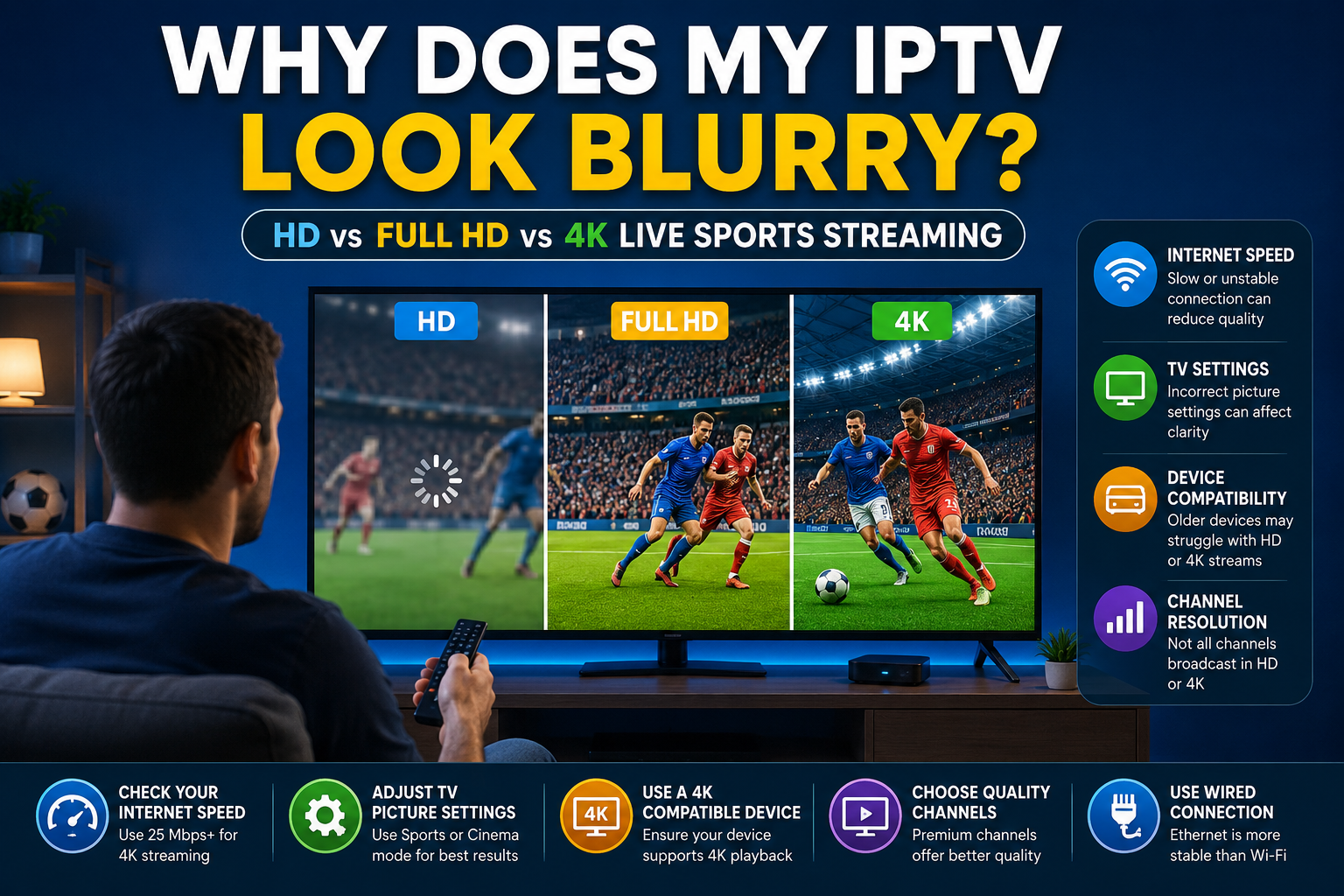
If your IPTV live sports streaming looks blurry, pixelated, or less sharp than expected, you’re not alone. Many sports fans assume their IPTV provider is the problem, but the reality is often more complicated. From channel resolution and device settings to internet speed and display limitations, several factors can affect whether you’re actually seeing true HD, Full HD, or 4K picture quality.
Whether you’re watching football, basketball, hockey, baseball, or other live sports events, understanding these common issues can help you get the best possible viewing experience.
1. The Channel May Not Be Broadcasting in 4K
One of the biggest misconceptions in IPTV is that every sports channel offers 4K content.
In reality, many broadcasters still deliver most live sports in HD or Full HD. Even if your television supports 4K resolution, the channel itself may only be transmitting a 720p or 1080p signal.
For example:
| Resolution | Typical Quality |
|---|---|
| HD | 720p |
| Full HD | 1080p |
| 4K UHD | 2160p |
A 4K television cannot magically create true 4K detail if the original broadcast is only HD.
Sports fans looking for premium sports coverage should always verify the quality of the channels available through their subscription and our channel lineup guide.
2. Your IPTV App May Be Limiting Video Quality
Many IPTV applications include built-in playback settings that can affect stream quality.
Some apps automatically reduce quality to maintain smooth playback when network conditions change.
Popular IPTV players often allow users to adjust:
- Video quality
- Hardware acceleration
- Playback buffers
- Stream decoding settings
If you’re using IPTV on multiple devices, make sure your application is configured correctly.
You can learn more about device compatibility and connections in our guide on How IPTV Subscriptions Work:
3. Your Internet Connection May Be Reducing Stream Quality
Even when buffering isn’t visible, your internet connection can still affect image quality.
Many IPTV systems use adaptive bitrate streaming. When available bandwidth drops, the stream quality may automatically decrease to prevent interruptions.
Recommended speeds:
| Quality | Recommended Speed |
|---|---|
| HD | 10 Mbps |
| Full HD | 15 Mbps |
| 4K | 25 Mbps+ |
If your stream frequently changes quality during important matches, network performance may be the cause.
This differs from outright buffering, which we discuss in detail here:
4. Your Device May Not Support Native 4K Playback
Not all streaming devices handle 4K equally.
Older:
- Firesticks
- Android TV boxes
- Smart TVs
- Tablets
may struggle to decode high-bitrate sports streams.
A device may advertise 4K support but still have limitations when handling live sports broadcasts.
This is especially noticeable during fast-moving action such as:
- Football matches
- Formula 1 races
- Hockey games
- Basketball games
5. Your TV Settings Could Be Incorrect
Many viewers never adjust their television’s picture settings.
Incorrect settings can result in:
- Blurry images
- Soft details
- Motion artifacts
- Poor color accuracy
Check:
- Sharpness settings
- Motion smoothing
- HDR settings
- Picture mode
Sports mode or cinema mode often produces better results than default factory settings.
6. Not All Sports Broadcasters Deliver the Same Picture Quality
Different broadcasters use different production standards.
Sports fans in the UK, USA, and Canada often notice quality differences between channels.
Examples include:
- Sky Sports
- TNT Sports
- ESPN
- FOX Sports
- Sportsnet
- TSN
Major tournaments and premium events are often produced at higher resolutions than smaller sporting events.
You can explore available sports channels through our channel listings and subscription options to see what coverage is available for your region.
7. Your TV May Be Upscaling Lower-Resolution Content
Upscaling is often misunderstood.
A 4K television can enlarge an HD image to fill a 4K screen, but that doesn’t mean the content becomes true 4K.
Upscaling can improve appearance, but it cannot create detail that wasn’t present in the original broadcast.
This is why some sports channels look dramatically sharper than others even on the same television.
HD vs Full HD vs 4K for Live Sports
| Feature | HD | Full HD | 4K |
|---|---|---|---|
| Resolution | 720p | 1080p | 2160p |
| Sports Detail | Good | Excellent | Outstanding |
| Bandwidth Required | Low | Moderate | High |
| Device Requirements | Basic | Moderate | Advanced |
| Best For | Casual Viewing | Most Sports Fans | Large Screens & Premium Events |
For many households, Full HD offers an excellent balance between quality and reliability.
Choosing the Right IPTV Experience
Picture quality is only one part of the viewing experience.
When comparing providers, sports fans should also consider:
- Channel selection
- Reliability
- Multi-device support
- Sports coverage
- Customer support
Our guide to choosing the Best IPTV Provider explains what to look for when evaluating a service:
You can also review our available packages, channel listings, and setup resources to ensure your devices are configured correctly for the best possible experience.
Additional Resources
For further information on video streaming and display quality:
Frequently Asked Questions
Why does my IPTV look blurry during live sports?
Common causes include low-resolution broadcasts, insufficient internet speed, incorrect TV settings, or IPTV apps automatically lowering stream quality.
Is Full HD good enough for live sports?
Yes. For most viewers, Full HD (1080p) provides excellent picture quality while requiring less bandwidth than 4K.
How much internet speed do I need for 4K IPTV?
Most providers recommend at least 25 Mbps for consistent 4K streaming, especially during live sports events.
Why do some sports channels look better than others?
Different broadcasters use different cameras, production standards, and transmission quality levels, resulting in noticeable picture quality differences.
Does a 4K TV automatically make IPTV channels 4K?
No. A 4K television can upscale lower-resolution content, but the original broadcast must be produced in 4K to display true 4K detail.
Final Thoughts
If your IPTV live sports streaming looks blurry, the issue is not always your provider. Channel resolution, device capabilities, internet performance, television settings, and broadcaster quality all play important roles in determining the final picture you see on screen.
By understanding these factors, sports fans can make informed decisions and enjoy a sharper, more consistent viewing experience whether they’re watching football, basketball, hockey, baseball, or major international tournaments.